M Series Quantum X 2022 Review: Real User Experience After 3 Months
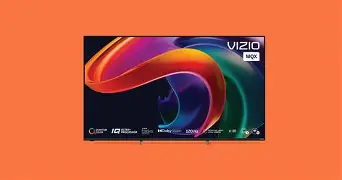
When I first pulled the M Series Quantum X 2022 out of its box three months ago, I wasn’t entirely sure what to expect. In the world of 4K TVs, the "mid-range" category is notoriously crowded, often filled with panels that promise high-end features like Local Dimming and Quantum Color but rarely deliver them in a way that feels cohesive. I’ve gone through my fair share of displays over the last decade, from budget panels that washed out the moment the sun hit the room to high-end OLEDs that made me paranoid about static logos burning into the glass. My goal with this purchase was to find a "sweet spot"—a television that could handle my PlayStation 5 gaming sessions, my wife’s obsession with high-bitrate nature documentaries, and our shared movie nights, all without requiring a second mortgage.
After ninety days of living with this set as my primary display in a moderately bright living room, I’ve moved past the "honeymoon phase." I’ve seen how it handles the deep blacks of space in science fiction epics, how it manages the erratic motion of live sports, and how the smart interface behaves after a dozen firmware updates. What I found was a TV that punches significantly above its weight class in peak brightness and color saturation, but one that also comes with the specific quirks and software "character" that long-time users of this particular brand will find familiar. It is a powerhouse of a panel wrapped in a slightly temperamental package.
Establishing the Living Room Environment
Before diving into the technical weeds, I think it’s important to describe how I actually use this TV. I have the 75-inch model mounted on a standard VESA wall mount. My living room has two large west-facing windows. In my experience, this is the ultimate test for any TV that isn't an OLED. Most mid-range sets I've owned previously turned into giant mirrors by 4:00 PM. I was surprised by how the M Series Quantum X handled this. I noticed that the peak brightness—which I’ve seen rated at over 1,000 nits in some technical spec sheets—actually translates to real-world visibility. I can watch a daytime baseball game without squinting or drawing the heavy blackout curtains. That alone was a massive win for my daily quality of life.
In terms of setup, I paired the TV with a dedicated 5.1.2 Dolby Atmos soundbar system via the eARC port and had a PlayStation 5 and an Apple TV 4K plugged into the high-bandwidth HDMI 2.1 ports. One thing I learned early on is that not all ports are created equal on this set. To get the full 120Hz at 4K for gaming, you have to be very deliberate about which input you use. I spent about twenty minutes wondering why my PS5 was capping at 60Hz before I realized I’d plugged it into Input 3 instead of the prioritized Gaming Port. It’s a small detail, but for a real owner, it’s the kind of thing that defines the first hour of ownership.
Picture Quality: The Quantum Dot Difference
The "Quantum" in the name isn't just marketing fluff. After testing for several months with a variety of content sources—ranging from 480p legacy YouTube clips to 4K Dolby Vision discs—the color reproduction is where this TV truly shines. I’ve been using a "Calibrated" picture mode for most of my viewing, as the "Vivid" mode, while eye-popping, tends to make human skin look like it’s been through a radioactive tanning bed. In the Calibrated mode, however, the balance is impressive. What I found was that the reds and greens have a depth that my previous non-Quantum-Dot TV simply couldn't touch. When watching nature documentaries, the forest canopies look lush and layered rather than just a flat smear of green.
The local dimming performance is another area where I have some very specific observations. This model features Active Full Array local dimming zones. On paper, more zones are always better, but in practice, it’s about the algorithm. After three months, I’ve noticed that while the blacks are remarkably deep—nearly reaching that "inkiness" we all crave—there is a slight "blooming" or "halo" effect around bright objects on dark backgrounds. For example, when a white loading icon appears in the corner of a black screen, I can see a faint glow extending an inch or two into the black. I noticed that I could mitigate this by turned the "Active Pixel Tuning" and "Local Dimming" settings to 'Medium' rather than 'High.' Setting it to 'High' makes the blacks darker but causes the brightness to pump or shift noticeably when subtitles pop up on the screen. It was a bit distracting at first, but once I dialed in the settings, I found a compromise I could live with.
Gaming Performance and Motion
As someone who spends at least ten hours a week gaming, the 120Hz refresh rate and Variable Refresh Rate (VRR) support were the primary reasons I chose this model. I was surprised by how low the input lag felt. In fast-paced shooters, the response feels instantaneous. One thing that bothered me, however, was the "stutter" during very slow panning shots in 24fps movies. This is a common issue with high-refresh-rate panels—they are so fast that they don’t provide the natural blur our eyes expect from film. I had to go into the motion settings and add just a tiny bit of "Film Smoothing" (around level 2 or 3) to take the edge off that judder without creating that dreaded "Soap Opera Effect."
Shop the latest TVs & Home Theater picks on Amazon.
View Offers →The Smart TV Interface (SmartCast)
If there is a "weak link" in the M Series Quantum X experience, it is undeniably the built-in software. While it has improved significantly over the years, I found it to be occasionally sluggish compared to a dedicated streaming stick. There have been times when I pressed the Home button and had to wait three to five seconds for the app tiles to populate. I also noticed that the TV would occasionally lose its connection to my 5GHz Wi-Fi network after being unplugged, requiring a hard reboot of the system to find the signal again.
On the positive side, I appreciated the inclusion of WatchFree+. It’s a built-in service that offers hundreds of live channels for free. While I don't use it for my "prestige" viewing, it’s been great for having background noise or catching local news without needing a cable subscription. The integration of Apple AirPlay 2 and Chromecast has also been flawless in my experience. I can throw a photo from my phone or a video from my laptop onto the screen in seconds, which is a feature I use more than I thought I would.
Pros and Cons After 3 Months
- Exceptional Brightness: One of the best TVs in this price range for rooms with lots of natural light. It cuts through glare remarkably well.
- Vibrant Color Space: The Quantum Dot layer makes HDR content, particularly Dolby Vision, look incredibly rich and immersive.
- Next-Gen Gaming Ready: Full support for 4K/120Hz, VRR, and AMD FreeSync Premium Pro makes it a fantastic companion for the PS5 and Xbox Series X.
- Impressive Build Quality: The bezel is extremely thin, giving it a modern, "all-screen" look that fits well in a minimalist setup.
- Solid Local Dimming: While not perfect, the full-array backlighting provides much better contrast than edge-lit alternatives.
- Inconsistent Software: The SmartCast interface can be slow to load and occasionally buggy, sometimes requiring a system restart.
- Viewing Angles: I noticed that if I sit too far to the side (like when we have guests over and I’m on the armchair), the colors start to wash out and the blooming becomes more apparent.
- Audio Quality: Like most thin TVs, the built-in speakers are thin and lack bass. I strongly recommend a soundbar for this set.
Technical Analysis Table
To help visualize how this fits into the current market, I've put together a table comparing the M Series Quantum X to the standard M Series and the entry-level V Series I looked at before buying.
| Feature | V Series (Entry) | M Series (Standard) | M Series Quantum X (This Review) |
|---|---|---|---|
| Panel Type | Standard LED | Quantum Color | Quantum Color + UltraBright |
| Peak Brightness | ~300 Nits | ~600 Nits | Up to 1,000+ Nits |
| Refresh Rate | 60Hz | 60Hz | 120Hz (Native) |
| Local Dimming | None | Basic Array | Active Full Array (More Zones) |
| HDMI 2.1 | No (Standard) | Partial | Full Support (4K/120Hz) |
Real-World Buying Guide for Potential Owners
If you are considering this TV, you are likely someone who wants high-end performance but is tired of the massive price tags associated with the top-tier brands. In my experience, there are three things you should look for when deciding if this is the right model for you:
1. Factor in Your Lighting
If you have a dark, dedicated theater room, an OLED might be worth the extra money for those perfect blacks. However, if your TV is in a "multi-purpose" room—like a living room, basement with windows, or a bright bedroom—the M Series Quantum X is actually a better choice for many. I found that its ability to fight glare is its "secret weapon." When the sun is high, this TV is still perfectly watchable, whereas my friend's much more expensive OLED becomes a struggle to see.
2. Check Your Gaming Needs
If you are still on a PS4 or an older Xbox, or if you only use your TV for movies and cable news, you might be paying for features you don't need. The "X" in Quantum X buys you that 120Hz refresh rate and the extra brightness. If you aren't a gamer and you watch TV in a dark room, the standard M Series might save you a few hundred dollars while giving you 90% of the same experience. But for me? The smoothness of 120Hz gaming made the upgrade essential.
Find top-rated TVs & Home Theater products at great prices.
Browse Now →3. Plan for External Audio and Smart Hardware
One thing I always tell people after they see my TV is: "Budget for a soundbar and perhaps a streaming stick." While the TV is great, the speakers are its weakest physical attribute. And while I use the internal apps most of the time, having a Roku or Apple TV plugged in solves all the "sluggish software" complaints instantly. Think of this as buying a magnificent panel and display engine, rather than a perfect all-in-one computer.
Detailed Findings on Longevity and Reliability
One concern many people have with mid-range brands is how they hold up past the first week. After three months, I haven't seen a single dead pixel or any significant change in the backlight uniformity. I was worried about "dirty screen effect" (DSE), which is when you see dark patches during scenes of solid color, like a hockey game or a clear sky. In my experience, my panel is remarkably clean. I noticed a very slight darkening in the absolute corners of the screen—maybe a few millimeters—but it’s something I only see if I’m specifically looking for it on a white test pattern. In normal content, it's invisible.
I also want to touch on the remote control. It’s a simple, voice-enabled remote. I found the voice search to be surprisingly accurate for finding shows across different apps. What I found was that I didn’t need to type in titles anymore; I could just hold the button and say "Find The Bear on Hulu," and it worked 90% of the time. The remote feels a bit lightweight and "plasticky," but it’s survived a few drops onto hardwood floors without any issues.
Conclusion
After three months of daily use, the M Series Quantum X 2022 has solidified its place as one of the best value propositions in the current TV market. It isn't perfect—the software can be temperamental, the viewing angles are somewhat narrow, and the local dimming can occasionally struggle with high-contrast scenes—but these are minor trade-offs when you consider the sheer impact of the image. The peak brightness and color depth provided by the Quantum Dot technology transformed my gaming and movie-watching experience. I went from "just watching a screen" to feeling genuinely immersed in the content.
What I learned is that this TV is built for the "power user on a budget." If you are willing to spend twenty minutes in the settings menu to tune the picture to your room and you don't mind the occasional second of interface lag, you are rewarded with a visual experience that rivals sets costing nearly double. It has handled everything I've thrown at it, from the chaotic neon streets of Cyberpunk 2077 to the subtle, dark textures of a midnight thriller. It’s a workhorse of a display that focuses its budget where it matters most: the glass you’re looking at. For me, the M Series Quantum X hasn't just been a purchase; it's been a significant upgrade to my home entertainment life that I appreciate every time I hit the power button.